Resume Builder vs. Google Docs: Why Your Resume Format Could Be Costing You the Interview

TL;DR
Google Docs resumes often fail ATS scans because of inconsistent formatting, broken tables, and non-standard fonts that Applicant Tracking Systems can't parse correctly.
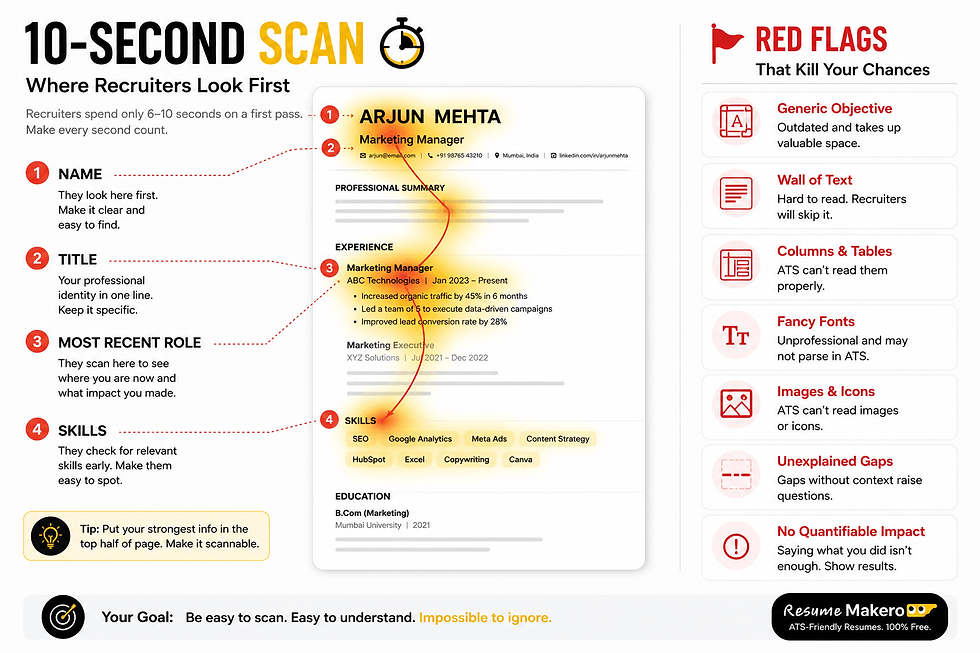
Recruiters take about 6–10 seconds on a first pass — during that window, they're actively scanning for red flags like generic objectives, unexplained gaps, and wall-of-text formatting.
The most common formatting mistakes (columns, text boxes, images, headers/footers, fancy fonts) can silently break ATS parsing even if the resume looks great to a human.
A purpose-built resume tool (like Resume Makero) avoids these issues automatically with ATS-tested templates, clean export to PDF/DOCX, and built-in formatting checks — free, with no sign-up.
Fix: Use a single-column layout, standard fonts, clear section headers, and quantified bullet points, and always check your resume before you download it.

Introduction
You've spent hours perfecting your resume in Google Docs. It looks clean, the fonts match, and you're proud of it. Then... silence. No callbacks, no interviews, nothing.
Here's the uncomfortable truth: the tool you use to build your resume and the way you format it can quietly sabotage your job search before a recruiter even reads your experience. This guide combines three of the most searched resume questions into one place — the difference between using a general document editor versus a dedicated resume builder, the red flags recruiters notice almost instantly, and the specific formatting mistakes that get resumes filtered out or skipped entirely.
Part 1: Resume Builder vs. Google Docs — Which Actually Gets You Hired?
Google Docs is free and familiar, which is why so many job seekers default to it. But "free" and "job-ready" aren't the same thing.
Where Google Docs Falls Short
No ATS awareness. Google Docs is a general word processor — it has no idea what an Applicant Tracking System needs to correctly parse your name, dates, or job titles.
Layout drift. Tables, tabs, and text boxes can shift or break when exported to PDF or opened on a different device, scrambling your section order.
Manual formatting = manual errors. Every font size, spacing, and alignment choice is on you, which means every mistake is on you too.
No built-in resume logic. There's no guidance on section order, no word-choice suggestions, and no check for missing sections before you hit download.
Where a Dedicated Resume Builder Wins
ATS-tested templates built specifically to survive parsing software.
Structured sections (contact, experience, education, skills) that stay locked in place — no accidental drag-and-drop chaos.
Instant PDF/DOCX export without watermarks, sign-ups, or reformatting surprises.
Built-in quality checks that flag missing sections, weak wording, or formatting issues before you download.
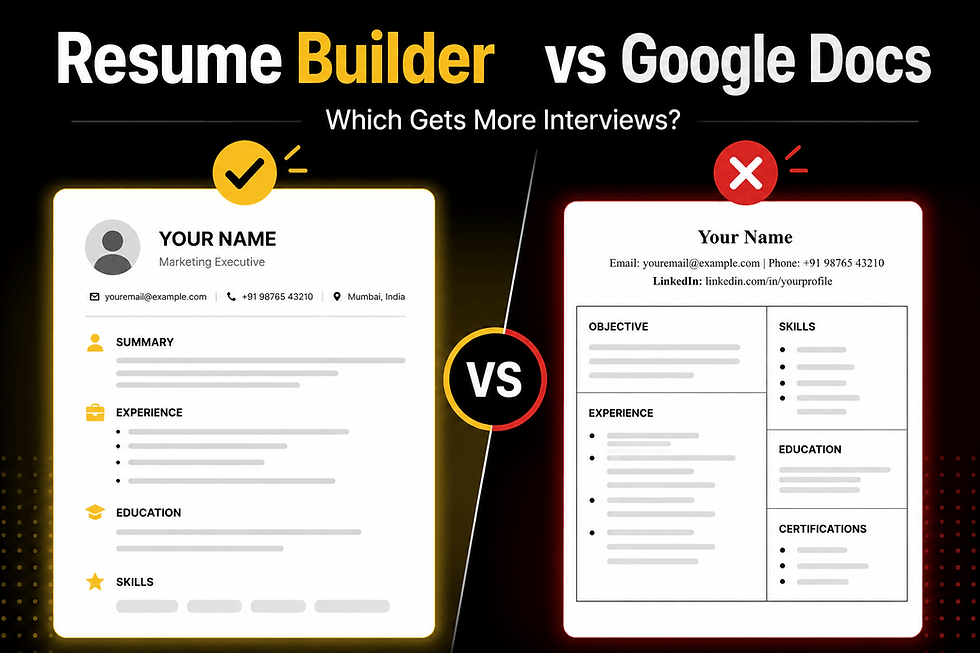
Bottom line: Google Docs is fine for drafting your first paragraph of ideas. It's the wrong tool for the final, submission-ready document — especially when free, no-sign-up alternatives exist that are purpose-built for the job.
Part 2: 10 Resume Red Flags Recruiters Notice in the First 10 Seconds
Recruiters aren't reading your resume line by line on the first pass — they're scanning. Here's what makes them stop scanning and move to the next candidate.
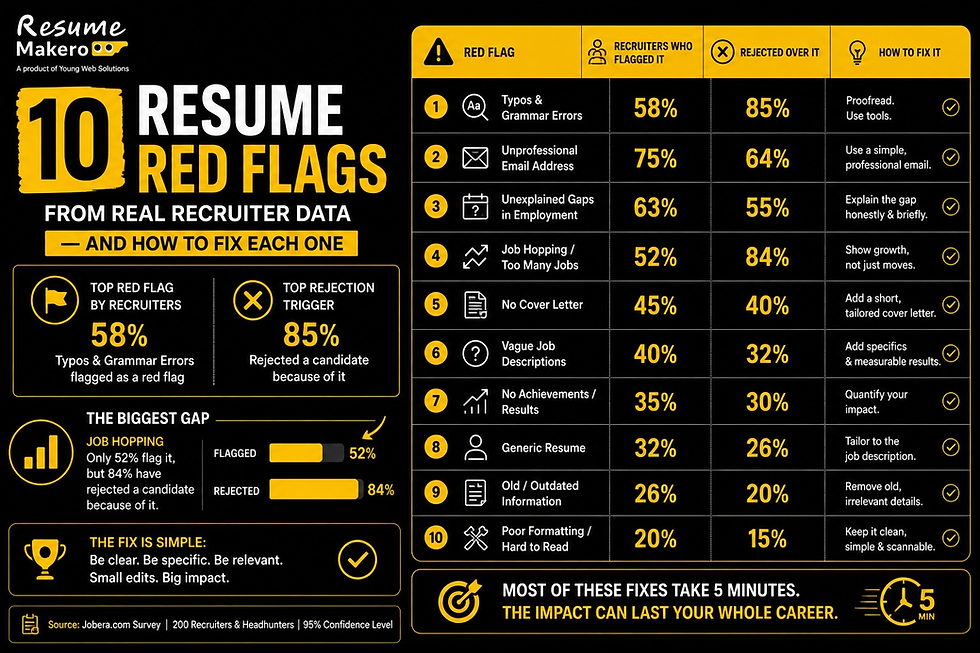
A generic or missing objective/summary that could apply to literally anyone.
Unexplained employment gaps with no context or brief explanation.
Typos and grammar mistakes — the fastest way to signal carelessness.
An unprofessional email address (still surprisingly common).
A wall of text with no bullet points or visual hierarchy.
Inconsistent formatting — mismatched fonts, spacing, or bullet styles between sections.
Job duties instead of achievements ("responsible for X" instead of "increased X by Y%").
A resume that's too long for the candidate's experience level (2 pages for a fresher, for example).
Irrelevant information — outdated skills, unrelated hobbies, or an oversized photo.
No clear job title match — nothing tying the resume to the specific role applied for.
Part 3: Resume Formatting Mistakes That Make Recruiters (and ATS Bots) Skip Your Application
Even strong content can get buried by poor formatting. These are the most common — and most damaging — mistakes:
Multi-column layouts — visually appealing but frequently misread by ATS software, which can scramble the reading order.
Text boxes and tables for key content — many ATS parsers skip content inside these entirely.
Headers/footers for contact info — some systems don't scan headers and footers at all, meaning your phone number and email vanish.
Images, icons, and graphics for skills or ratings — unreadable by both ATS and screen readers.
Non-standard fonts — decorative fonts can render as garbled text once parsed.
Inconsistent date formats — mixing "Jan 2023" with "01/2023" confuses both bots and humans.
Overuse of color and design elements — fine for creative fields, risky everywhere else.
Saving in the wrong file format — some systems still prefer DOCX; others need PDF. Not offering both is a missed opportunity.

How to Fix All of This in One Step
Every issue above traces back to the same root cause: using tools and formats not built for how modern hiring actually works. A dedicated resume builder solves this by design:
Pre-built ATS-friendly templates with no columns, text boxes, or embedded images in critical sections.
Consistent, editable formatting for fonts, colors, and spacing without breaking the underlying structure.
Section reordering so you can highlight what matters most for each application.
Built-in resume checks that catch red flags — weak wording, missing sections, spelling errors — before you download.
Free PDF and DOCX export, no watermark, no account required.

FAQ
Is Google Docs bad for making a resume?
Not "bad," but risky. Google Docs works fine for drafting content, but its lack of ATS-aware formatting means layout issues can appear only after you've already applied — when it's too late to fix.
How long do recruiters actually spend looking at a resume?
Most research and hiring surveys put initial resume screening at around 6–10 seconds, which is why the top third of your resume (name, title, most recent role) needs to be immediately clear.
What is the biggest resume formatting mistake?
Using multi-column layouts, text boxes, or tables for essential information. These often render incorrectly — or get skipped entirely — by Applicant Tracking Systems.
Do I need a resume objective in 2026?
A generic objective is a red flag, but a short, tailored professional summary that reflects the specific role can still help, especially for freshers and career changers.
Is a free resume builder as good as paid ones?
Free tools like Resume Makero can offer the same ATS-friendly templates, formatting checks, and export options as paid tools — without requiring sign-up, payment, or watermarks.
What file format should I download my resume in — PDF or DOCX?
PDF is safest for preserving formatting when a human reviews it, but some ATS platforms parse DOCX more reliably. Downloading both, when possible, is the safest strategy.