The Problem With Canva Resume Builder That Nobody Talks About
Canva is one of the most popular design tools in the world. It is free, easy to use, and produces visually stunning results. So when Canva launched its resume builder, millions of students and job seekers — especially in India — rushed to use it.
The templates are beautiful. The customisation is endless. The download is free. What could possibly go wrong?
A lot, as it turns out. And the problem is almost invisible — until a recruiter tells you weeks later that your application was never reviewed.
In this article we reveal the real problem with the Canva resume builder, why it could be silently costing you interviews, and what to use instead if you want your resume to actually reach a human being.

📌 Quick Answer The core problem: Canva resumes fail ATS (Applicant Tracking System) screening because of their multi-column, graphic-heavy design. ATS systems — used by almost every company above 50 employees — cannot read Canva layouts properly. Your resume can look stunning and still be auto-rejected before a human recruiter ever sees it. |
First — What Is Canva Resume Builder?
Canva Resume Builder is the resume creation feature within the Canva design platform. It offers hundreds of pre-designed resume templates that users can customise by editing text, changing colours, uploading photos and adjusting layouts.
It is genuinely impressive as a design tool. Templates range from minimalist black-and-white to bold creative designs with colour-blocked sidebars, icons, profile photos and infographic-style skill bars.
For freelancers, designers, photographers and creative professionals who need a portfolio-style document, Canva has real value. But for the majority of job seekers — students, freshers, engineers, MBA graduates, doctors — Canva resume builder creates a serious, largely invisible problem.
The Problem Nobody Talks About: ATS Cannot Read Canva Resumes
Here is the problem that most Canva resume tutorials, YouTube videos and blog posts completely skip over.
Almost every company that receives more than a handful of job applications uses an Applicant Tracking System — software that automatically scans, parses and ranks resumes before a human ever touches them.
Estimates suggest that over 90% of Fortune 500 companies use ATS software, and in India, ATS adoption is growing rapidly among companies on platforms like Naukri, LinkedIn and Indeed.
⚠ What Exactly Is an ATS and Why Does It Matter? An ATS (Applicant Tracking System) is software that companies use to manage job applications. When you apply online, your resume is first scanned by ATS — not a human. The ATS reads your resume, extracts your information, scores it against job requirements, and decides whether to pass it to a recruiter. If your resume fails to parse correctly, it is rejected automatically — the recruiter never sees your name. This happens silently. You receive no error message. You simply never hear back. |
Why Canva Layouts Break ATS Parsing
ATS software is built to read plain, linear text. It expects a resume to flow from top to bottom in a single column with clearly labelled sections.
Canva resume templates do the opposite. Here is what a typical Canva resume contains that breaks ATS parsing:
Canva Design Feature | What ATS Does With It |
Two-column or Two-column or sidebar layoutsidebar layout | Reads columns left-to-right horizontally, mixing your name with your phone number, your skills with your job title |
Text inside coloured boxes or shapes | Often reads as blank — the text inside design elements may be completely invisible to ATS |
Skill bars (visual percentage bars) | Reads as nothing — ATS cannot interpret graphical skill representations |
Icons next to section headers | Causes parsing errors — ATS reads icon characters as random symbols |
Profile photo embedded in design | Ignored by ATS, but some systems flag photo-containing resumes for bias compliance |
Decorative fonts and custom typography | May not be read correctly depending on the ATS — stick to Arial, Calibri, Times New Roman |
Header/footer contact information | Many ATS systems skip headers and footers — your phone number and email may be missed |
Coloured background on resume body | Some ATS convert to plain text first, stripping all formatting — content order is then scrambled |
The result is that when an ATS scans a typical Canva resume, it may extract information in completely the wrong order, skip entire sections, or flag the document as unreadable. In the worst case, the ATS rejects the file entirely before scoring begins.
Your skills, experience and qualifications are irrelevant at this point. The software never got to them.
The 5 Specific Problems With Canva Resume Builder
Problem 1 — Multi-Column Layouts Break Text Order
Most popular Canva resume templates use a two-column layout — a narrow sidebar on the left for contact details, skills and education, and a wider main column on the right for work experience. This looks organised to a human eye.
But ATS software reads text horizontally across the page, not column by column. So instead of reading your name, then your contact details, then your work experience, the ATS reads across both columns simultaneously — producing nonsense like your name mixed with your job title mixed with your phone number.
The result is a parsed document that does not make sense to the ATS scoring algorithm. Your application is ranked low or discarded.
Problem 2 — Design Elements Hide Your Content
Canva templates use design elements — coloured shapes, boxes, borders and icon graphics — to make resumes visually appealing. These are rendered as image layers in the PDF output.
When ATS software converts your PDF to plain text for scanning, these image layers are stripped away. Any text that was visually positioned inside or over these design elements may be lost entirely, depending on how the PDF was rendered.
This means an entire skills section or summary paragraph can simply disappear from what the ATS reads — even though it looks perfectly visible on screen.
Problem 3 — Skill Bars Communicate Nothing to ATS
One of the most popular features in Canva resume templates is the visual skill bar — a graphical progress bar that shows, for example, 80% proficiency in Microsoft Excel or 60% in Adobe Photoshop.
These look impressive to the human eye. To an ATS, they are invisible. The system reads text. It cannot interpret a partially filled bar as representing a skill level.
Worse, the skill name itself may be attached to the graphic element rather than being plain text, meaning the ATS does not even register that you listed the skill at all.
Problem 4 — File Format Issues
Canva exports resumes as PDF files. While PDF is generally ATS-compatible for plain-text documents, a heavily designed PDF with graphic layers, embedded fonts and image elements is far more likely to cause parsing errors than a clean, text-based PDF generated from a word processor or dedicated resume builder.
Some ATS systems prefer DOCX over PDF entirely. Canva does not offer DOCX export — meaning you lose the ability to submit in the format some companies require.
Problem 5 — You Cannot Know It Is Happening
Perhaps the most frustrating aspect of the Canva ATS problem is that it is completely silent. When your resume fails ATS parsing, you do not receive an error or rejection notice. You simply hear nothing.
Most job seekers blame their experience, their qualifications, their cover letter, or the job market — never considering that the document format itself is the issue. Weeks or months can pass before someone tells them the real reason.
When Is Canva Resume Builder Actually Appropriate?
To be fair, Canva resume builder is not completely without value. There are specific situations where a Canva-style resume makes sense:
Use Case | Should You Use Canva? |
Graphic designer portfolio | ✅ Yes — creative presentation matters, companies expect it |
Photographer or visual artist | ✅ Yes — your resume is also a demonstration of your design skills |
Fashion or media industry | ✅ Sometimes — check if the company uses ATS before applying |
Freelance creative roles | ✅ Yes — often sent directly to a person, not through ATS |
Software engineer or developer | ❌ No — tech companies use ATS heavily |
MBA or management applicant | ❌ No — corporate recruiters expect clean ATS-safe formats |
Fresher applying through Naukri/LinkedIn | ❌ No — ATS is guaranteed in these pipelines |
Doctor or medical professional | ❌ No — hospital HR systems are ATS-driven |
Government or public sector roles | ❌ No — online portals parse plain-text resumes |
Any online job application portal | ❌ No — assume ATS unless you know otherwise |
The rule of thumb: if your resume is going through an online application form or a job portal, assume ATS is involved. Use a plain, single-column, text-based format. Canva is for direct email to a creative hiring manager who will open the PDF and view it as a document, not process it through software.
The Best Alternative to Canva Resume Builder in 2025
Now that you understand the problem, the solution is straightforward: use a resume builder that was designed specifically to produce ATS-compatible documents — not a general-purpose design tool repurposed for resumes.
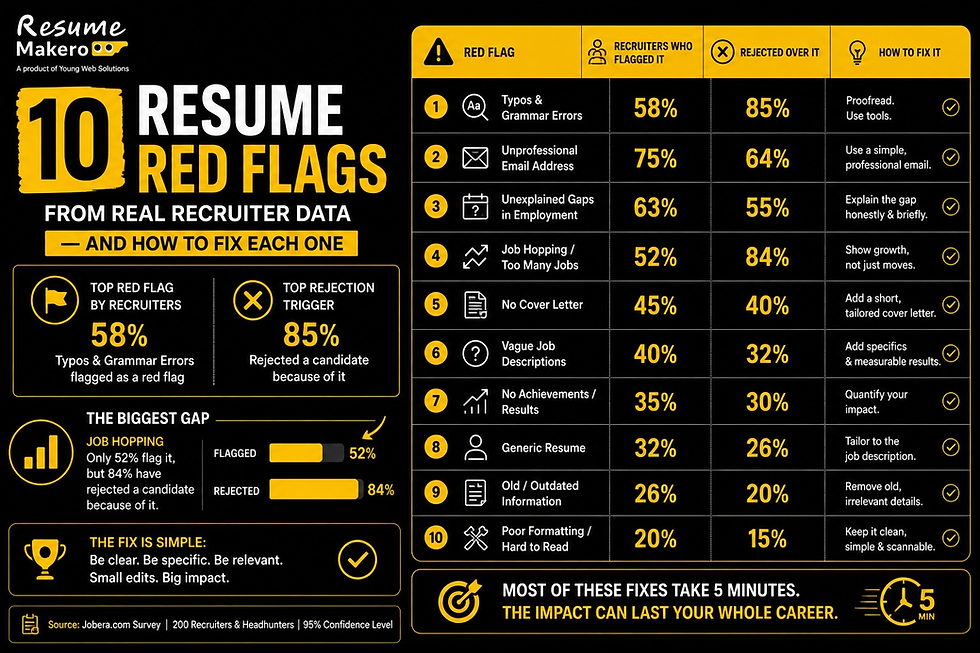
Resume Makero — Built for ATS, Not for Awards
Resume Makero is a free online resume builder built specifically for students, freshers and professionals in India. Every template is single-column and ATS-optimised by design — not as an afterthought.
Feature | Canva Resume Builder | Resume Makero |
ATS-Compatible Templates | ❌ No — multi-column, graphic-heavy | ✅ Yes — single-column, clean |
Free to Download | ✅ Yes — but ATS fails on download | ✅ Yes — ATS-safe PDF and DOCX |
No Sign-Up Required | ❌ No — Google login needed | ✅ Yes — start immediately |
No Watermark | ✅ Yes | ✅ Yes |
DOCX Export | ❌ No — PDF only | ✅ Yes — both formats free |
ATS Score Checker | ❌ No | ✅ Yes — built-in checker |
India-Focused Templates | ❌ No | ✅ Yes |
Cover Letter Builder | ✅ Yes (but ATS-unsafe) | ✅ Yes — ATS-safe |
Skill Bars (ATS-unsafe) | ✅ Yes — looks great, ATS fails | ❌ No — text skills only |
Data Privacy | Stored on Canva servers | Stored locally on your device |
Frequently Asked Questions
Does Canva resume pass ATS?
In most cases, no. Canva resume templates use multi-column layouts, text boxes, icons and graphic design elements that ATS software cannot parse correctly. The ATS may scramble the text order, skip sections entirely, or reject the file. For any application going through an online portal or ATS-powered system, a Canva resume is a risk not worth taking.
Is there an ATS-friendly version of Canva resumes?
Canva has introduced some simpler, more minimal templates that come closer to ATS compatibility — but they still export only as PDF and still may use design elements that cause parsing issues. There is no guarantee any Canva resume will pass ATS. For guaranteed ATS compatibility, use a dedicated ATS resume builder.
Can I use Canva resume for internship applications?
We strongly advise against it for any application submitted through an online portal. Campus placement portals, company career pages and job boards all use ATS. If you are handing your resume directly to a professor or mentor who is making a referral, the format matters less — but for any digital application, use an ATS-friendly format.